
Project · Self-tested
Project: FlowGuard
Build a complete repository health and quality-gate application with HHY v1.0, including real fixtures, concurrent checks, JSON reports, and end-to-end tests.
More than a syntax demo
FlowGuard is a runnable application written entirely in HHY v1.0. It accepts a project directory and JSON configuration, checks required files, scans files and possible credentials, runs quality commands and HTTP health checks concurrently, atomically writes a structured report, and uses a stable exit code to enforce the quality gate.
| Application capability | HHY capabilities used |
|---|---|
| Project structure | Path, read_text, attempt, and List |
| File and security scan | files, Stream, Regex, and Bytes |
| Quality commands | run, parallel, Duration, and CommandResult |
| Service health | http.get, timeout, retry, and parallel |
| Report and gate | Map, encode_json, atomic save_text, and exit |
Project layout
The entry script focuses on orchestration while lib contains each check. Config holds two scenarios, and fixtures provides repeatable project data. output and __pycache__ are ignored and never committed.
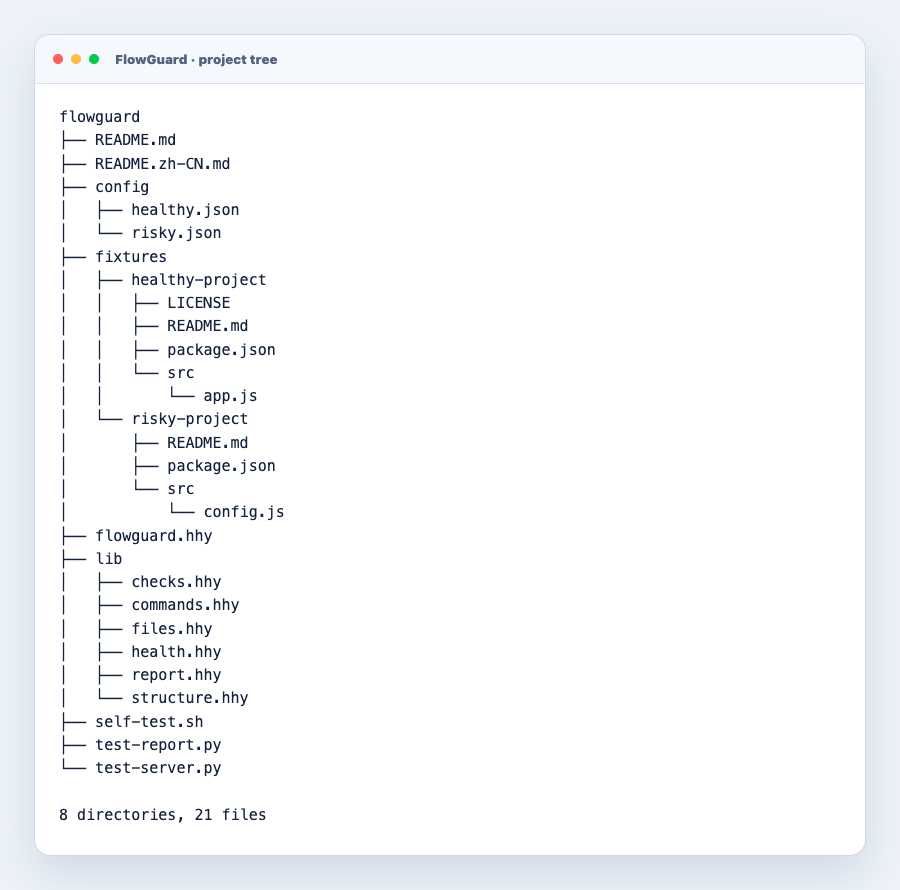
| Path | Responsibility |
|---|---|
| flowguard.hhy | Read arguments and configuration, combine checks, write the report, and set the exit code |
| lib/*.hhy | Structure, file, security, command, health, and reporting modules |
| config/*.json | Healthy and risky scenario configurations |
| fixtures/* | Deterministic projects under inspection |
| self-test.sh | Start the test service and verify both end-to-end scenarios |
Run the complete self-test
Run one command from the repository root. The test starts a temporary HTTP service bound only to 127.0.0.1:18991, checks the HHY modules, runs both scenarios, and uses Python assertions to validate the generated JSON reports.
cd hhy-vm
sh flowguard/self-test.sh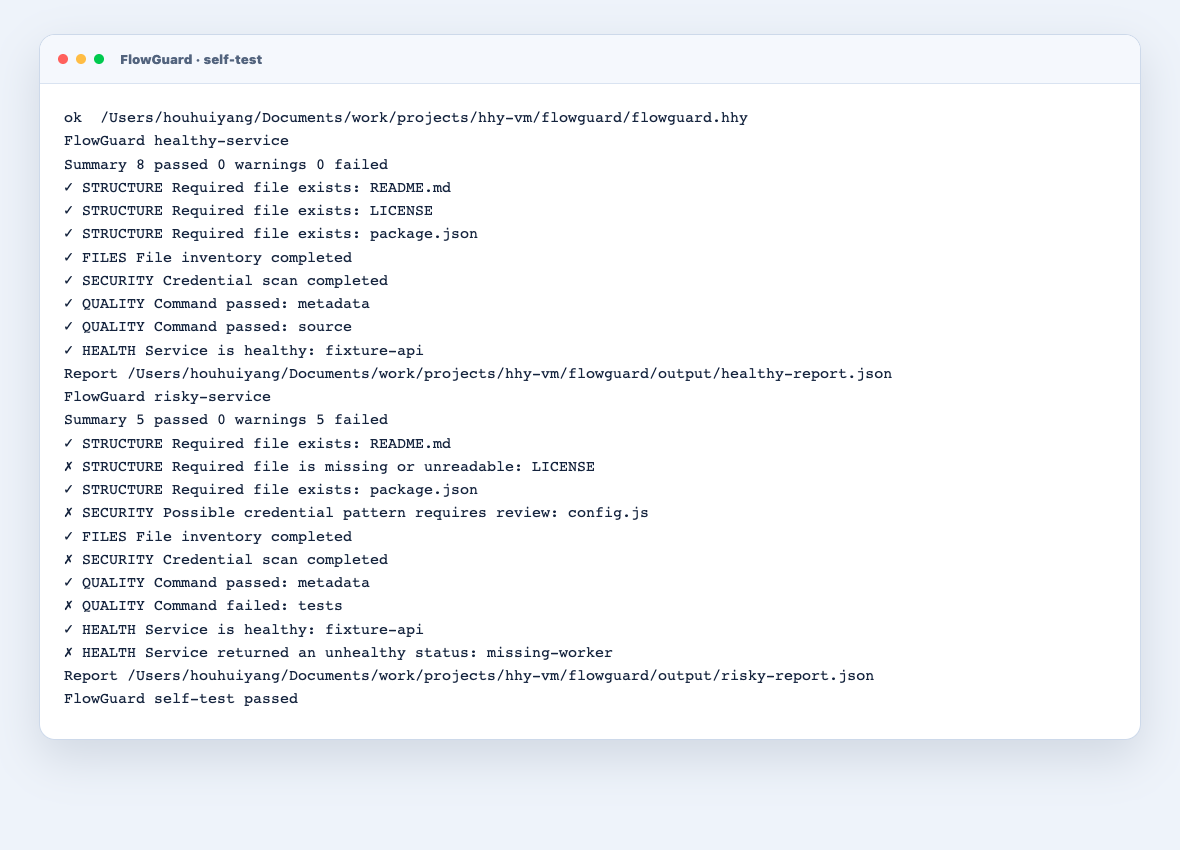
Healthy and risky scenarios
| Scenario | Input data | Expected result |
|---|---|---|
| healthy-service | README, LICENSE, package.json, source, two successful commands, and a 2xx health endpoint | 8 passed and exit code 0 |
| risky-service | Missing LICENSE, fake DEMO_TOKEN, failed command, and a 404 endpoint | 5 failed and exit code 1; the harness treats this nonzero status as correct |
Configure your own project
{
  "project": { "name": "my-service" },
  "required_files": ["README.md", "LICENSE"],
  "limits": { "large_file": "4kib" },
  "commands": [
    { "name": "tests", "argv": ["npm", "test"] }
  ],
  "health_checks": [
    { "name": "api", "url": "http://127.0.0.1:8080/health" }
  ]
}
Commands are passed directly to run as argv arrays and are never assembled through shell. Each command is limited to 15 seconds and 1 MiB of output. The current example accepts 256b, 1kib, 4kib, or 1mib file thresholds.
hhy run \
  --limit max_runtime=2min \
  --limit max_memory=256mib \
  --limit max_processes=8 \
  flowguard/flowguard.hhy \
  /path/to/project \
  flowguard/config/my-project.json \
  report.json
Why it represents HHY
FlowGuard brings filesystem, process, HTTP, and data processing into one reliable workflow. attempt turns an individual failure into a structured check without preventing other checks from completing; parallel provides bounded concurrency; and CI/CD can consume the final report directly. This is where HHY is most distinct from a large shell script.
Read the FlowGuard guide ↗See configuration fields, manual commands, test design, and instructions for checking a real project.